PHP2Shell: is your website updated?
A serious flaw in the code behind most websites. What it means for you, what to ask whoever runs your site, and why people, not AI, are doing the fixing.
On this page
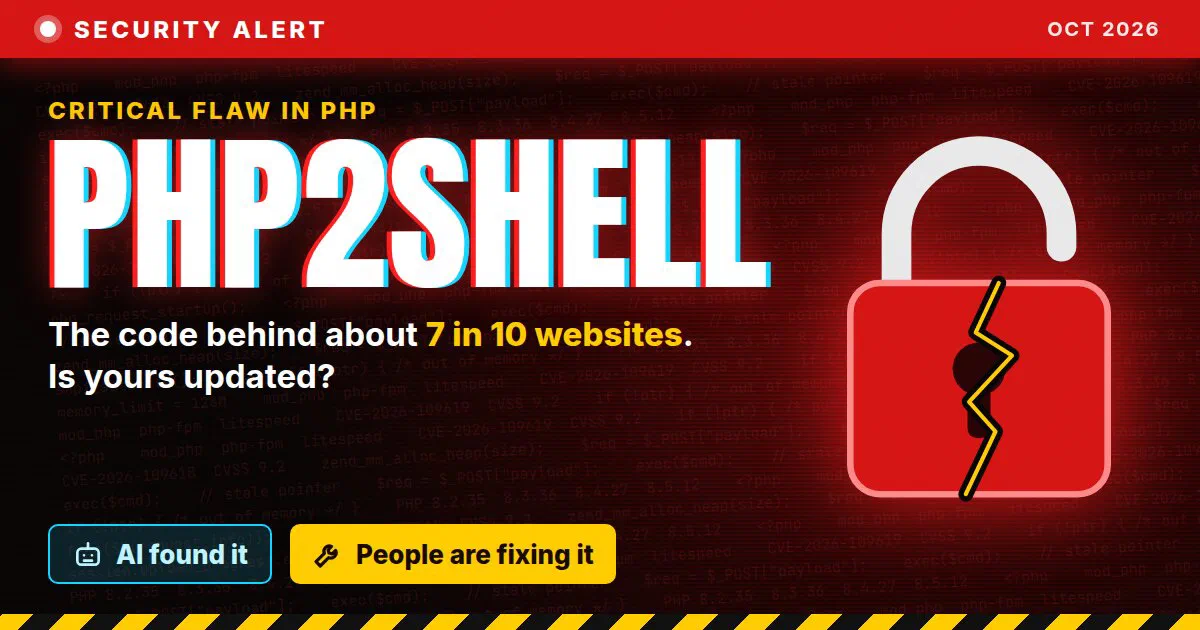
This week a serious security flaw in PHP went public, and attackers are already trying to use it. It has a scary name: PHP2Shell.
If you have a website, or someone runs one for you, there’s one question to ask today: “Is our PHP updated?”
Here’s what happened in plain words, and what to do about it.
What is PHP? #
PHP is one of the languages websites are written in. Think of a restaurant: you see the dining room, but the food is made in the kitchen. PHP is a big part of the kitchen for a lot of websites. It builds the page, checks your login, and saves your order.
You never see it. But it runs about 7 in 10 websites (of the ones where the language can be detected), including every WordPress site.
So when PHP itself has a hole, a huge part of the web has the same hole at the same time.
What happened #
Researchers found two serious holes in PHP. They let a stranger on the internet take control of the computer behind a website. No password needed.
That’s where the name comes from. A “shell” is the control panel of a computer, where you type commands. PHP2Shell means going from a normal web visit to full control.
The holes have been hiding in PHP’s code for more than a decade. Here’s how this week went:
- August: several research teams found the holes around the same time. The fixes were planned for October 22.
- October 17: Amazon saw the first known attempt to use the flaw, four days before it went public.
- October 20: details leaked online before the fix was out.
- October 21: PHP released the fixes a day early and told everyone to update right away.
Now the attacks are coming. Cloudflare, a company that protects millions of websites, says it has seen millions of attempts in just a couple of days. Some organizations took their websites offline until they could update.
Should I worry as a visitor? #
Not much. Visiting a website that runs PHP doesn’t put your phone or computer at risk.
The real risk is that a site that has your information, like an online store account, gets broken into. So for the next few weeks:
- Be extra careful with emails and texts that ask you to click a link, log in, or “confirm your account.”
- If a site tells you it was affected, change your password there. If you used that same password anywhere else, change it there too.
- You don’t need to stop shopping or banking online.
If you own a website #
You don’t need to understand any of the technical parts. You just need to make sure someone updated PHP.
Who’s that someone? It depends on how your site is set up:
- A webmaster or developer takes care of it. Ask them. The message below makes it easy.
- You pay a hosting company and manage the site yourself. Many hosts update PHP on their own, but don’t assume. Look for an announcement from them, or ask their support.
- You use an all-in-one website builder where you never deal with hosting. The company runs the servers for you. Look for an announcement from them.
Here’s a message you can copy and send:
Message to your webmaster
Hi! I saw the news about PHP2Shell, the PHP security flaw from this week. Can you confirm a few things about our website?

1. Is PHP updated to a fixed version (8.2.35, 8.3.36, 8.4.27 or 8.5.12), or patched by our hosting company?
2. If we're on PHP 8.1 or older, what's the plan to move to a supported version?
3. Have you checked the site for signs that someone got in since October 17?

Thanks!
Check it yourself on WordPress #
If your site uses WordPress, you can see which PHP version it runs:
- Log in to your WordPress dashboard.
- Go to Tools, then Site Health, then the Info tab.
- Open the Server section and look for PHP version.
The number isn't the whole story
Some hosting companies add the fix to the version you already have without changing the number. So if your number looks old, don’t panic. Ask your webmaster or host. And if it starts with 5 or 7, the site needs an upgrade either way.If you take care of websites #
This part is for webmasters and anyone who manages a site or a server. I’ll keep it short.
- Update PHP now. The fixed versions are 8.2.35, 8.3.36, 8.4.27 and 8.5.12. PHP’s own words: “There are no complete mitigations, updating is the only safe choice.”
- Make sure the new version is actually running. Restart PHP (PHP-FPM, Apache, LiteSpeed, IIS on Windows, whatever runs it) and check the version again.
- Test the site after. Old PHP code can break on a newer version. Click through the important pages and forms, and fix what needs fixing.
- On PHP 8.1 or older? The PHP project doesn’t release fixes for those anymore. Get a patched version from your vendor or host, or upgrade. PHP 7.3 and older have no fix at all.
- On shared hosting? You can’t update PHP yourself. Ask your host, and check your control panel: many let you pick the PHP version. If you’re on an old one, this is the week to move up.
- Can’t update today? PHP lists some temporary settings in its advisory, but says they “do not make an installation safe.” Cloudflare added protection rules, even on its free plan, but only for traffic that goes through Cloudflare. Both buy you time. Neither is the fix.
- Look for signs someone got in, starting October 17. New admin users you didn’t create, files you don’t recognize, files that changed when nobody touched them.
- Don’t run “exploit” code from the internet to test your site. Security researchers warn that some of what’s floating around may be malware itself.
The technical names
PHP2Shell is two flaws: CVE-2026-109618 and CVE-2026-109619, both rated 9.2 out of 10 (critical). The risk is highest on servers that use Apache’s mod_php, but PHP says every setup that serves web pages is at risk.AI found it. People are fixing it. #
Here’s the part I keep thinking about.
The teams that found these holes all used AI to help. That’s AI doing what it’s good at: reading through mountains of code, much faster than a person could. AI helped find this, and it’s helping people like me work through the fix faster.
But AI didn’t update a single server.
Look at who did the work this week. PHP’s volunteers wrote the fixes and shipped them a day early. Hosting companies had to update their servers. Webmasters and IT folks stayed up late checking sites. Microsoft’s CEO, Satya Nadella, said it well: “It was a long day and a long night, I know, for all the IT and security folks.”
And the attackers have AI too. It speeds up both sides.
Someone still has to decide what to update first, test it, make sure the site still works, and answer the worried phone call from the person who owns it. That’s people. People like me.
This week I’ve been upgrading PHP on Windows servers that run IIS (Microsoft’s software for serving websites). I’ve also been updating outdated PHP code, because old code doesn’t always work on a newer PHP, so the upgrade and the code fixes go together. I’m still at it.
This is a good example of why I use AI as a tool, not as a replacement.
Sources #
- PHP security advisory and release notes (opens in a new tab) (PHP, October 21, 2026)
- Frequently asked questions about PHP2Shell (opens in a new tab) (Tenable)
- What to know about the PHP bug affecting 70% of the world’s websites (opens in a new tab) (CBS News)
- AI found a critical PHP flaw. The bigger failure began in 2024. (opens in a new tab) (The New Stack)
- PHP issues emergency patches for two critical PHP2Shell flaws (opens in a new tab) (The Hacker News)